Aunque la caché ayuda a cargar el sitio web más rápido, también puede guardar información obsoleta, lo que provoca que tus últimos cambios no se reflejen en el sitio web.
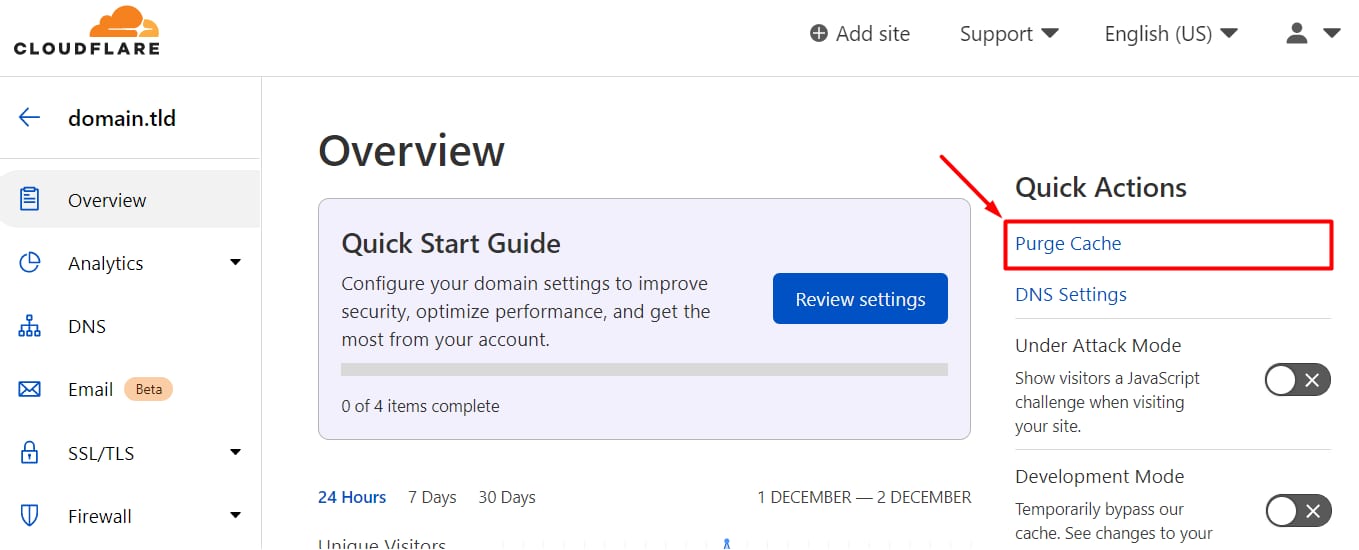
Si ya has habilitado Cloudflare para el dominio, puedes limpiar la caché iniciando sesión en tuCloudflare Dashboard, seleccionando el dominio correspondiente y haciendo clic enPurge Cache:
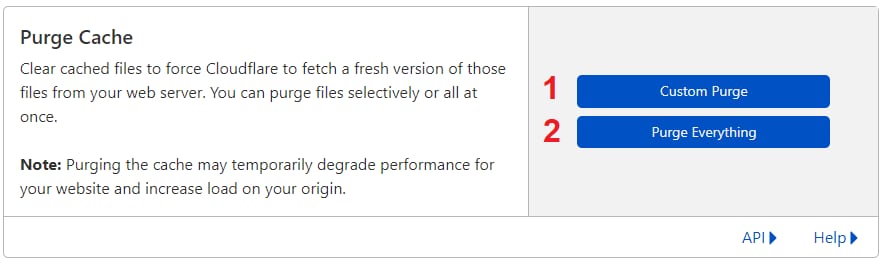
EnPurge Cacheverás dos botones:
- Custom Purge– Especifica qué páginas limpiar
- Purge Everything– Limpia la caché de todo el sitio web
O, puedeshabilitarel modo de desarrollo, Cloudflare omitirá toda la caché durante las próximas3 horas.
Fuente: documentación oficial de Hostinger