

Agregar un nuevo registro A en cPanel y gestionar los registros A creados
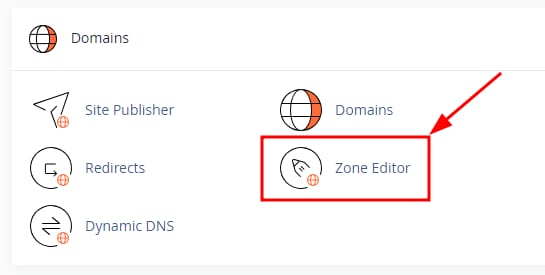
Puedes usarEditor de Zonadel panel para gestionar fácilmente los registros A de tu dominio. Solo necesitas iniciar sesión en cPanel y encontrarDomains→Editor de Zona:
Para crear un registro A, haz clic en el botón+ REGISTRO A:
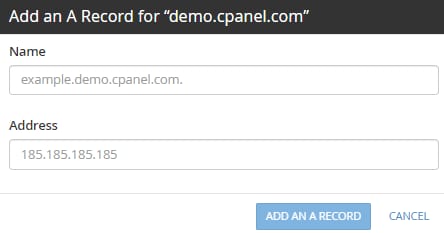
En el campoNombre, introduce el nombre de dominio o subdominio, en el campo Dirección introduceIPv4la dirección, y luego haz clic enAGREGAR UN REGISTRO A:
En el panelEditor de Zona, también puedes usar los siguientes botones para gestionar tus registros:
- EditarRegistro A
- Eliminar permanentementeRegistro A
Atención
- Cualquier DNS cambio en el registro activará la propagación, que puede tardar hasta24 horasparacompletarse
Fuente: documentación oficial de Hostinger