Usar Titan Email para habilitar la función de recolección de correos
El buzón de recolección de correos (Catch-all email)es una herramienta poderosa que te permite capturar cualquier correo enviado a direcciones de correo mal escritas o inválidas.
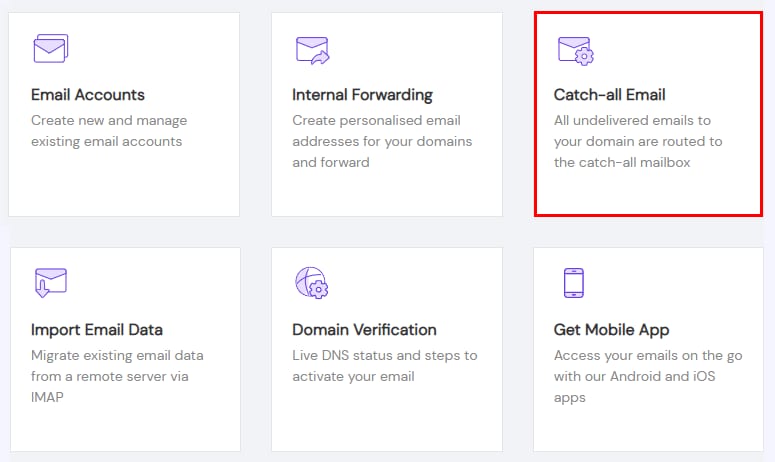
Para comenzar a capturar todos los correos enviados a tu dominio, ve aEmailssección, haz clic enAdministrar (Manage)junto al dominio correspondiente, y seleccionaRecolección de correos (Catch-all Email):
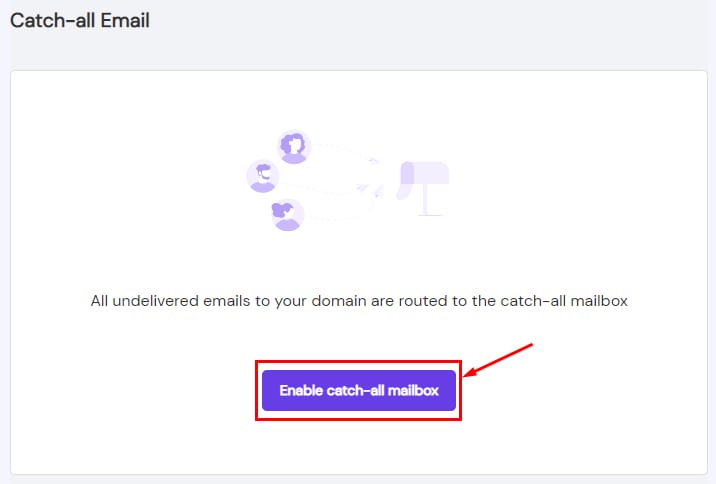
Luego, seleccionaHabilitar buzón de recolección de correos (Enable catch-all mailbox):
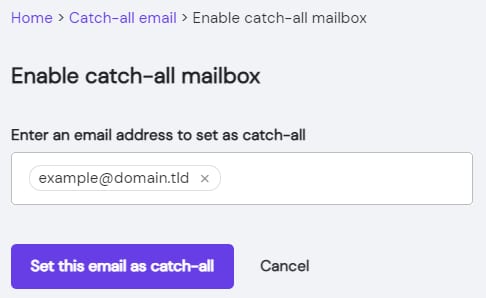
Por último, especifica la dirección de correo que deseas establecer como buzón de recolección y haz clic enEstablecer este correo como recolección (Set this email as catch-all):
¡Eso es todo! El buzón de recolección de correos ahora está habilitado para tu dominio 😊
Fuente: documentación oficial de Hostinger