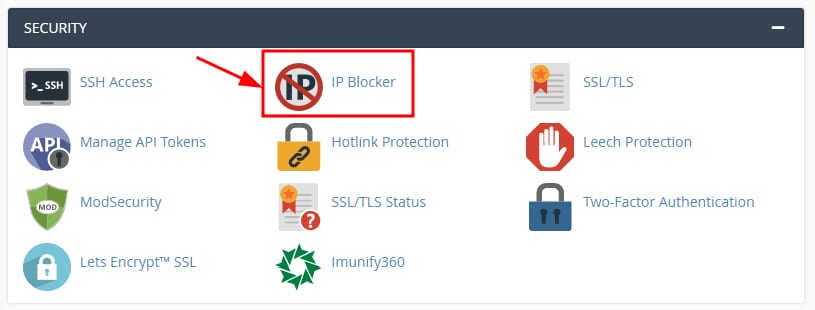
Si deseas restringir el acceso a un IP bloqueándolo en cPanel, puedes hacerlo a través de Security →IP Blocker:
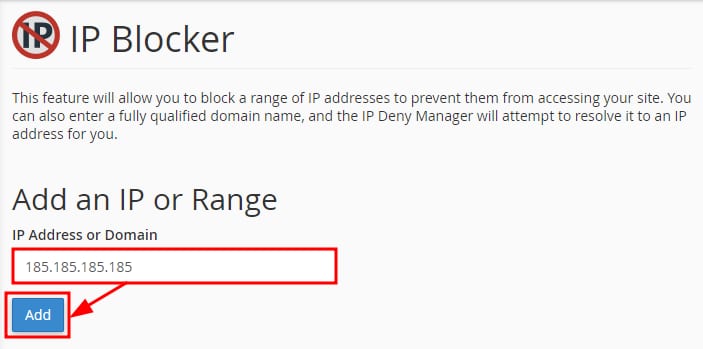
Ingresa la IP o el rango de IP que deseas bloquear, luego haz clic enAdd:
Una vez agregado, todas las conexiones entrantes desde esa IP o rango de IP no podrán acceder a tu sitio web.
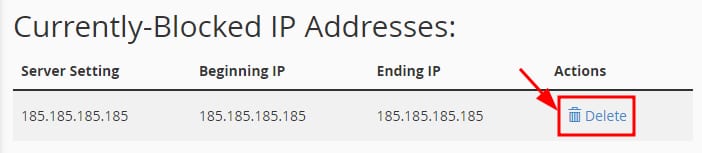
Para permitir el acceso nuevamente, simplemente ingresa en la misma sección a la lista Currently-Blocked IP Addresses y haz clic enDelete:
Después de eliminarlo de la lista de bloqueos, esa IP o rango de IP podrá acceder nuevamente 😊
Fuente: documentación oficial de Hostinger