

Agregar nuevos registros TXT y gestionar los registros TXT creados en cPanel
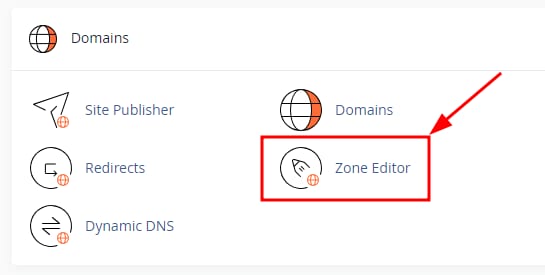
Puedes gestionar fácilmente los registros TXT: inicia sesión en cPanel y ve a Domains →Editor de Zona:
Para crear un registro TXT, haz clic junto al nombre de dominio enAdministrar:
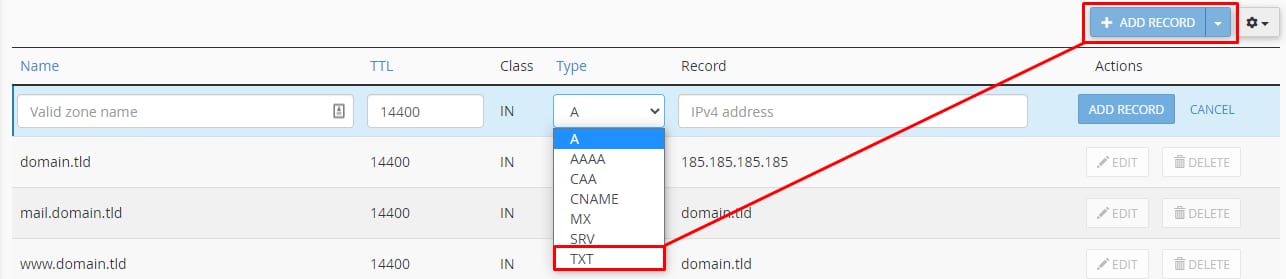
Luego, haz clic enAgregar registroy seleccionaTipo de registro TXT:
Ingresa los valores necesarios del registro y guarda los cambios. Después de realizar los cambios, reserva hasta 24 horas para queDNS se propaguencompletado, en ese momento tu registro TXT será completamente efectivo.
Una vez creado, puedes gestionar los registros TXT enEditor de Zonausando los siguientes botones:
- Editar o modificarregistros TXT
- Eliminar permanentementeregistro TXT
Fuente: documentación oficial de Hostinger