
Agrega un registro DKIM para el correo Titan en hPanel.
Si estás utilizandoTitan correo, tu correo se firmará automáticamente utilizando la clave predeterminada.
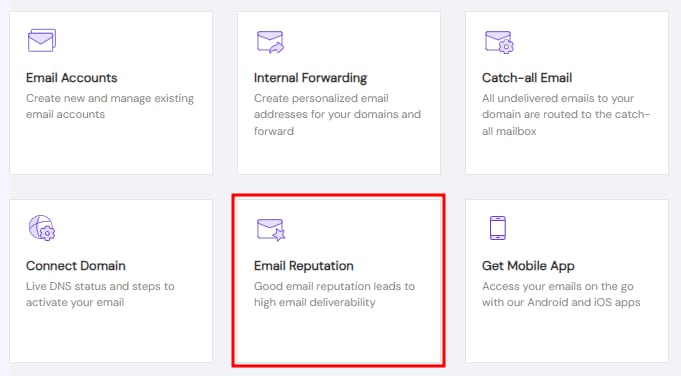
Para ver el valor de tu registro DKIM, ve acorreo (Emails)sección, haz clic en Administrar (Manage)junto al servicio de correo correspondiente, y luego selecciona Reputación del correo (Email Reputation):
En Agregar registro DKIM (Add DKIM record), haz clic en Agregar (ADD)para expandir la sección:
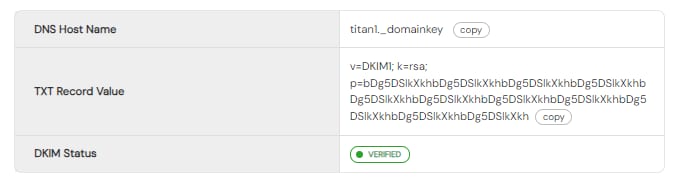
Allí encontrarás los detalles de tu clave DKIM. El contenido es aproximadamente el siguiente:
Usa el botónpara copiar, y con base en esto, en tu dominio DNS crea un nuevo registro TXT en la zona.
Después de realizar estos cambios, reserva hasta 24 horaspara que la resolución globalpermita que el registro DKIM surta efecto por completo 💡
Fuente: documentación oficial de Hostinger